
Use this checklist after connecting a store, website, messaging channel, capture tool, or custom tracking source.
The goal is to confirm that Hellotext can see the right customer profile, receive the right signals, and use them safely before you launch playbooks, routes, campaigns, or reports that depend on that data.
Choose the correct business and record its public ID, source, channel, and timezone. The figures below show separate fictional states to help you recognize controls; they do not document a completed test, subscription, or send.
Run one end-to-end test
Start with an authorized, isolated validation: a test account, destinations your team controls, and permission for that channel and message type. Inspect existing records first. Do not use real customers or log purchases or events to make a report total match.
- Identify a recognizable profile in the correct business; retain its public ID and the identifier sent by each source.
- If you need to check a capture, review its configuration and installed path. Subscribe only in the authorized environment, then check the destination, notice, and resulting state; opening a preview does not subscribe anyone.
- Perform only the activity included in the validation: a view, cart, order, form, reply, or custom event. Mark test data and avoid recording the same occurrence from both browser and server.
- Open that profile in Audience and review properties, activity, and conversation. Compare action, object, reference, source, amount, and time with the source record.
- Check consent, channel availability, and workflow conditions separately. An existing or reachable profile does not authorize a send.
- Only if sending is enabled and the test is authorized, send to the isolated destination. Check content and recipient before confirming; a draft or accepted request does not confirm delivery.
- In that authorized test, check the final link and tracking, and the reply in the correct conversation. Opening a URL can also log activity; do not use real customers’ links to diagnose a problem.
- Review each piece of evidence and stop validation if anything is missing. A
receivedresponse can precede processing and does not establish an event, message, or attribution result.
If this small test does not look right, fix the setup before enabling a broad playbook or campaign. Retain date, time, response, and existing records to reconcile the failed step; do not automatically repeat writes or sends whose outcome is uncertain.
Customer profiles
Open the profile in Audience and review identity, properties, and activity separately.
Look for:
- Name, phone, email, or the identifier your integration sends, including its source and format.
- Subscription state and evidence of permission for the channel, destination, and message type; these are different checks.
- Properties used by segments, personalization, or playbooks, with the name and type expected by the rule.
- Current list or segment membership and audience exclusions.
- Possible duplicates, checking that they represent the same person before considering a merge.
Camila Torres is a fictional profile with an @example.test email, address, company, and birthday, but no phone and Unconfirmed status. These fields do not establish permission or message reachability. The smaller source is a focused crop of the same desktop panel.

If a customer appears more than once, compare identifiers sent by each source and their histories before changing anything. A similar name does not establish shared identity. In custom tracking, a browser session and a profile have different identifiers; check that their association belongs to the correct person and business.
Commerce data
For commerce integrations, confirm that the data needed by your first playbook is present and matches the originating store or system.
Check:
- Recent orders, order status, shipment status, tracking numbers, and tracking URLs if support playbooks depend on them. A logistics operator or carrier integration is optional and can add delivery detail. For order tracking, see Order-Update Delight playbook.
- Cart or checkout activity if you plan to recover abandoned carts; a cart object does not establish that abandonment occurred.
- Names, images, prices, variants, and availability supported by your importer. Price is not stock, and sources expose different fields. For product discovery, see Smart Recommender playbook.
- Currency, decimal amounts, totals, coupons, refunds, and shipping status if they affect reporting or follow-up.
- External reference and source for each order or product, especially if you sell through several channels; do not replace its public ID with a name or SKU.
In Settings > Objects, inspect the existing order. This fictional draft shows reference ORDER-1001, source custom_store, and total USD 89.90. The editor’s Order ID field contains the reference, not the public API ID; Deliver is the method, not a completed shipment. The order has no events and does not establish a purchase, synchronization, or delivery.

You do not need every possible field before launch; you need the fields used by the first playbook, route, segment, or report. Check the readback after an import or correction, and distinguish a commerce object from the event describing what happened to the customer.
For a complete product check, use Product catalog synchronization.
Events and signals
Confirm that activity creates the expected occurrence, rather than only an action definition or object.
For each important signal, check:
- The exact tracking name and source compatibility: for example
product.viewed,cart.abandoned,order.placed, or a custom action defined in that business. - The correct profile and, if using a session, its association and identity before recording activity.
- Original time and display timezone. In the API,
tracked_ataccepts ISO 8601 or Unix seconds; omitting it can record processing time rather than when historical activity occurred. - The object, reference, amount, currency, and properties actually used by the trigger. An amount inherited from the object can affect measurement; do not invent a value to fill the screen.
- Recency and the specific trigger, audience, or report conditions; an event’s presence does not guarantee entry into every workflow.
The real New Event form shows fictional customer Demo Caso 1 and Appointment booked, whose tracking name is appointment.booked. The associated object is empty and Save changes is disabled; no event was recorded. The current manual form can require an object for a custom action even though API/SDK tracking allows its omission. Do not save another event just to demonstrate that the original arrived.

If using Hellotext.js, await its asynchronous initialization and explicitly track page.viewed for each real view; published version 2.6.0 does not track it automatically during initialization. Avoid duplicates in an SPA or across sources. Keep action names consistent and check the final record after acknowledgment; received alone includes no event ID or guarantee of its effects.
Keep reading: Tracking events.
Channels and consent
A signal can be available even when Hellotext should not send a message.
Before launch, confirm:
- The channel is connected to the correct business and the sender, WhatsApp account, or short code is available.
- Permission exists for the channel, destination, and message type alongside subscription state. Unconfirmed, Subscribed, a phone number or email, and technical eligibility do not replace that permission.
- Content, template, and conversation rules fit the channel. For WhatsApp, check the active approved version and sending account; a draft or approval of an earlier version does not establish that the latest edit is ready.
- Timezone, quiet hours, frequency, and overlap between campaigns, routes, and playbooks are checked for each workflow; do not assume one global cap.
- Customers have a working opt-out and replies reach the Inbox or responsible teammate with enough capacity.
This is especially important when a playbook chooses the next step automatically. Apply the current WhatsApp policy where relevant.
Keep reading: Who can I message? Consent and subscriber status.
Captures and follow-up
If launch depends on a capture, distinguish configuration or preview from the active, installed path the customer will see.
Check:
- The QR code, link, form, popup, or checkout opt-in opens on the correct site and channel; the draft must be published and installed where applicable.
- The notice identifies the real business, channel, and purpose, and the entered destination matches the expected result. Do not assume every capture subscribes people to every channel.
- Source, tags, fields, and coupon are recorded as the workflow requires; a source label alone is not permission or attribution.
- The assigned welcome, route, or playbook is correct and ready; saving a capture does not guarantee a send or reply.
- An authorized validation’s result appears in the correct profile and conversation, with fictional data separated from real sales.
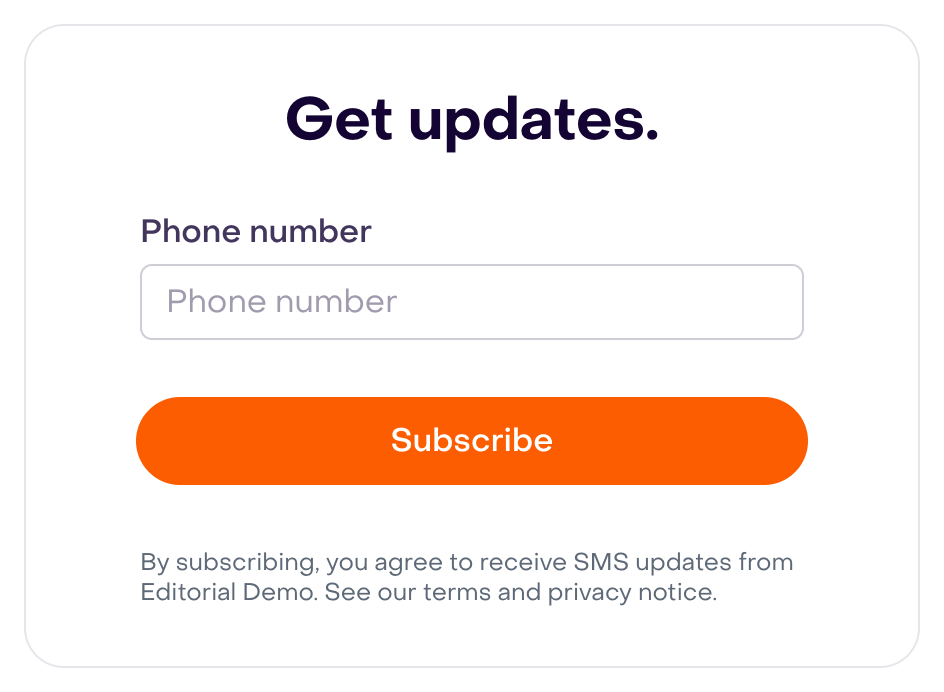
The following Editorial Demo preview shows the phone field, Subscribe, and an SMS notice. It remains a draft without responses, coupon, or route assignment; Subscribe was not clicked, and the preview does not establish installation or consent. The same complete source is used on desktop and mobile.
Reporting and attribution
Before sending broadly, define each metric’s period, timezone, unit, and population.
Check:
- Links are tracked when expected and preserve the correct destination and context.
- Clicks and replies belong to the correct message and profile. Total clicks and messages with at least one click are not unique people.
- Later purchases meet the source’s attribution rules, chronology, and windows; a saved order or purchase after a send does not guarantee credit.
- Test activity is identified and separated from real results; do not create records to populate cards.
In the campaign report, check the period selector before comparing metrics. This demonstration retains First 14 days, April 19–May 2, 2026, with USD 1.9K attributed revenue, 5.4× ROI, 6.3% conversion, and USD 0.36 revenue/message. These are historical fictional values, not the result of setting up this integration. Desktop shows four complete cards; mobile shows the first carousel card.

Campaign conversion divides attributed purchases by delivered messages; revenue/message uses that denominator, and ROI compares attributed revenue with delivery cost. Engaged groups delivered messages seen, clicked, or replied to by dispatch day in the business timezone; later signals can update that cohort. The reporting period does not extend the attribution window. If two views differ, compare the same records and criteria before concluding that activity is missing.
Keep reading: Analytics, reporting, and attribution overview.
Before launching a playbook
Review the specific playbook, route, or campaign you are about to publish.
Confirm:
- The trigger signal exists with the identity and context expected by the rule.
- Audience, list or segment unions, and exclusions contain the intended people with appropriate permission and destinations.
- The channel is ready and limits, hours, and entry conditions allow the intended step.
- Message, prompt, offer, products, variables, and final links are correct.
- Stop conditions, pauses, handoff, and conversation ownership are defined.
- Reports, period, and success metrics have verifiable criteria.
Only after that review, start with a small authorized scope and observe before expanding. If pausing, check which steps stop and which messages remain pending; pausing does not recall messages already handed to the provider.
If something is missing
Common causes include:
- The wrong store, marketplace, Meta Business account, or Hellotext business.
- Another business’s token, expired credentials, incomplete permissions, subscription, or configuration. The public business ID and private API token serve different purposes; never put the private token in browser code.
- Domain, checkout, or script installed in the wrong place, or incomplete initialization and session association.
- Initial synchronization or processing still pending; there is no single completion time for every source.
- Different customer identifiers or a session associated with someone else.
- Action, property, object, or date that does not match the rule.
- Missing permission, destination, channel availability, or active template version.
Locate the first step without evidence and fix its cause. Before repeating a write, subscription, event, or send with an uncertain outcome, check existing records and the response; do not assume general deduplication. Reconnecting or importing everything again should not be the first step.
If you need to diagnose where the signal stopped after launch, keep reading: Troubleshoot missing signals or activity. For support, retain public business and record IDs, source, time/timezone, step, state, and exact response, redacting tokens, cookies, passwords, and unnecessary customer data.