
Use playbooks and automations when Hellotext should read customer signals, decide what to do next, and act without someone on your team manually sending every message.
A playbook is a reusable configuration for a business mission. Depending on its type, it uses rules, defined steps, or AI to evaluate signals and propose the next action. Access, data, tools, integrations, customer permission, and the channel limit what it can do; being enabled does not guarantee a message or outcome.
If you are comparing playbooks with campaigns and the Inbox, start with How Hellotext works.
A playbook can be an autonomous mission, a reactive AI agent, a journey route with defined steps, or a capture. Capture playbooks are available under Playbooks > Explore playbooks > Capture. Captures and campaigns have dedicated Help Center sections because their setup and operating models are different.
Signals can include carts, browsing activity, purchases, stock changes, birthdays, replies, customer profile properties, and channel eligibility.
Keep reading: What are signals?.
A signal, profile property, and saved object are different evidence. An order in Hellotext does not confirm delivery or authorize contacting the customer. Proactive playbook admission, contextual reactive-agent selection, and a journey trigger have their own rules; there is no universal AI sequence for every tool.
Choose the right playbook type
If you are deciding where to start, use Choose your first playbook.
If you want to browse common options by business goal, use Playbook library by mission.
When you know which option you want to launch, use How to enable a playbook.
Use a prebuilt playbook when the goal is common and the recommended mission already fits your business. Review its availability and prerequisites before adopting it; the template does not prove your data or channels are ready.
Use an AI playbook or AI agent when the experience needs to respond conversationally, use product or policy knowledge, recommend items, answer frequent questions, collect customer information, or decide when to escalate.
Scope varies by type. Instant Answers and Return & Exchange Helper provide grounded guidance; writing instructions does not give them order lookup, inventory, cancellation, or refund operations. An operation requires its specific tool, integration, access, and workflow rules. A prompt cannot create consent or sending permission.
The empty Prompt in this fictional Custom Agent draft shows where instructions go. The gray text is a placeholder; no instructions are saved and no AI response was run. Other types may expose different controls.

For new subscribers or sign-ups who have not bought yet, see First-Purchase Driver playbook. For shoppers waiting for an unavailable product, see Back-in-Stock Pounce playbook. For shoppers who saw a product before it became cheaper, see Price-Drop Pouncer playbook. For browse intent that did not become a cart, see Browse Recovery playbook. For product discovery specifically, see Smart Recommender playbook. For complements to products in an eligible confirmed order linked to the customer, see Complete-the-Look playbook. For add-ons after an eligible purchase, see Cross-Sell Driver playbook. For repeat purchase on consumable products, see Replenishment Driver playbook. For birthdays saved on the profile, see Birthday Bash playbook. For the first recorded purchase anniversary with valid signals and source entity, see Anniversary Surprise playbook. For customers who are starting to go quiet, see Soft Reactivation playbook. For customers who meet that playbook’s inactivity criteria, see Dormant Revival playbook. For customers who are inactive or not reactivated and meet its criteria, see Sunset Saver playbook. For order-status questions, see Order-Update Delight playbook. For post-delivery product reviews, see Review Builder playbook. For loyalty after delivery, see NPS Pulse playbook. For satisfaction after resolved conversations, see CSAT Pulse playbook. For frequent support questions, see Instant Answers playbook. For guided return or exchange support, see Return & Exchange Helper playbook. For cancellation requests, see Order Cancellation Assistant playbook. For a custom reactive agent with your own intents, prompt, knowledge, channels, tone, and handoff, see Custom Agent playbook.
Use a journey route when you need a multi-step customer flow with a trigger, messages, waits, conditions, branches, and handoffs. A basic abandoned-cart follow-up can be Cart Saver route; an AI abandoned-cart playbook can make more dynamic decisions based on signals and customer context.
Each step has a purpose and order matters. Assignment shows five actions in an independent fictional new-journey form, without saving. Selecting an action is different from replying to the customer; this figure does not show a constructed route, confirmed trigger, or processed conversation.

For that specific choice, see Cart Saver route, AI Cart Saver playbook, and Abandoned cart: route template vs AI playbook.
Use a campaign when you want a one-time send to a selected audience, and a capture when the goal is to collect subscribers, customer data, or website conversations. For an on-site conversation entry point, see Webchat Widget playbook.
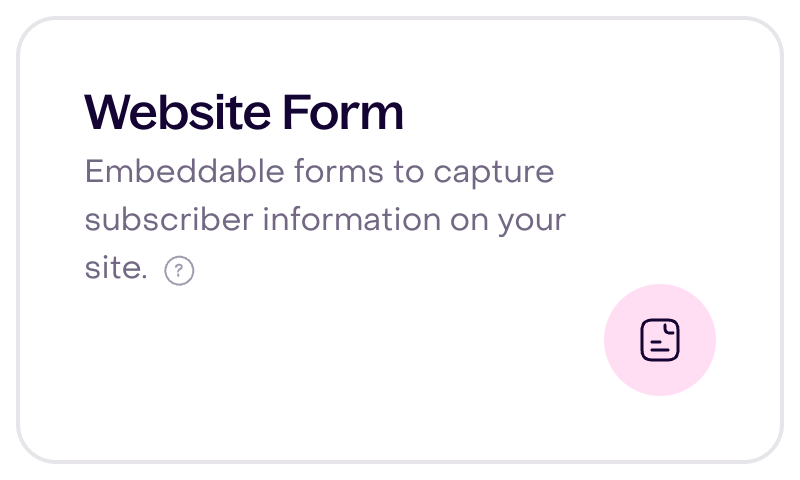
This fictional catalog shows the Popup and Form cards in Capture; the narrow view focuses on the Form card from the same desktop interface. Recognizing a card does not prove the tool is saved, published, visible, or installed, or that it received a submission or consent. Checkout opt-ins belong to their integrations.
Before you enable a playbook
Confirm that the data and channels it depends on are ready.
Check the business, type, role, plan or quota, and available components. Verify each signal’s source and date, customer identity and destination, applicable permission, and channel readiness. A visible address, profile status, or incoming-channel list does not establish that whole path.
Camila Torres is a fictional Unconfirmed profile with an example email and no phone number. The figure separates saved fields from verified identity or permission to contact; its narrow view is a desktop focus. No message was sent or subscription changed.

For the full launch flow, use How to enable a playbook.
When you need to change an existing setup, use How to customize a playbook safely.
If a playbook is active but does not send when you expected, use How Hellotext decides whether a playbook can send before changing the setup.
When you need to diagnose one concrete example, use Troubleshoot a playbook that did not trigger or send.
For commerce playbooks, make sure your store integration is connected and recent activity appears on customer profiles as usable signals.
For WhatsApp playbooks, check the connection, destination, and permission. When the flow requires a template, verify its active version and approval; the conversation window and channel restrictions also matter.
For SMS playbooks, check the sender, destination coverage, permission, and applicable limits. The business country or a WhatsApp connection does not establish an available SMS route.
What to check before publishing
- The trigger matches the customer action you want to react to.
- The signals the playbook depends on are available and current.
- Messages use the right channel and tone.
- Wait steps give customers enough time before the next follow-up.
- Conditions and branches send people down the right path.
- Coupons, links, tags, and product recommendations are working.
- Human handoff rules are clear when a conversation should leave the route or agent.
- Frequency, consent, and quiet-hour limits are clear so playbooks do not compete for the same customer in the same moment.
Apply this list to controls present in your type: an autonomous playbook may not have editable waits or branches. Frequency and competition rules have their own populations and exceptions; they do not promise a send at an exact time. Incoming-channel selection does not guarantee an outgoing channel or delivery.
In this independent fictional Property Collector draft, Tone has Friendly, Playful, and Exclusive selected without saving. Types offering this control allow one to three tones; they guide style without guaranteeing a reply or expanding scope.

Keep improving after launch
Handoff must distinguish a request, destination team, owner, assignable members, capacity, hours, protocol, and human reply. Closing or snoozing a conversation is not a reply. AI pauses according to the applicable protocol; do not assume a universal permanent pause.
This existing fictional Inbox policy shows five minutes for each response target, unchanged. These are attention targets subject to calendar and rules; they are not an execution, sending, or delivery SLA for every playbook. The figure does not show a received reply.

Start with a focused audience and review the first conversations before expanding. Look for replies, missed expectations, broken links, timing issues, and places where a human had to step in.
Use what you learn to adjust only the controls that playbook type exposes: prompts for agents; waits, branch conditions, or template copy for routes; and tone, offer strategy, or channels for autonomous sales playbooks. For revenue, conversion, and handoff metrics, use Playbook reporting.
For a safer editing process, use How to customize a playbook safely.
Distinguish local configuration, final saving, and enabling: saving can persist components, create a workflow, or initiate file processing. Selecting or saving a document does not prove its provider index is ready. Disabling does not universally cancel queued work. If an operation’s outcome is uncertain, reconcile its state before repeating it.
Use Playground only if available and you understand its effects: it may save a simulation, messages, or events and call a provider. A simulated response does not prove real identity, consent, eligibility, or delivery. This guide did not run tests.
Choose a report available for that type and define its population, period, and denominator. Not every playbook or journey has a dedicated report; resolution, handoff, send, delivery, return, and attributed sale are different outcomes. A screenshot or configuration change is not proof of performance.
Related guides
- What are signals?
- How Hellotext works: playbooks, campaigns, and Inbox
- Choose your first playbook
- How to enable a playbook
- How to customize a playbook safely
- How Hellotext decides whether a playbook can send
- Troubleshoot a playbook that did not trigger or send
- Playbook library by mission
- Webchat Widget playbook
- Cart Saver route
- AI Cart Saver playbook
- Back-in-Stock Pounce playbook
- Price-Drop Pouncer playbook
- First-Purchase Driver playbook
- Browse Recovery playbook
- Smart Recommender playbook
- Complete-the-Look playbook
- Replenishment Driver playbook
- Birthday Bash playbook
- Anniversary Surprise playbook
- Soft Reactivation playbook
- Dormant Revival playbook
- Sunset Saver playbook
- Order-Update Delight playbook
- Review Builder playbook
- CSAT Pulse playbook
- NPS Pulse playbook
- Instant Answers playbook
- Return & Exchange Helper playbook
- Order Cancellation Assistant playbook
- Custom Agent playbook
- Abandoned cart: route template vs AI playbook
- Getting started with journeys
- Custom journey
- How to write a great agent prompt
- AI handoff to Inbox
- Playbook reporting
- Setup overview
- Capture tools overview
- Message editor overview
- Personalization tags